
The holiday opportunity is still at the checkout counter. For Canadian retailers, a little preparation now can help keep transactions moving when stores get busy.
It is 6 p.m. on a Saturday. Your store is busy, your team is helping customers find sizes, and a lineup is forming at the cash. Then a payment terminal stops responding.
The immediate problem is technical. The consequences reach across the store: another register takes on more customers, an associate steps away to troubleshoot, and the manager starts searching for a support number.
This is the kind of scenario worth preparing for before the holiday rush.
Salesforce research, reported by Retail Insider in its Canadian holiday 2026 outlook, found that 83% of Canadians expect to shop in physical stores this holiday season. That measures shopping intentions, rather than the share of spending going into stores, but it makes one point clear: physical retail remains central to the season.
The window to capture that demand also starts early. Deloitte Canada’s 2026 Holiday Retail Outlook indicates that 51% of holiday budgets are expected to be spent by the end of the Black Friday and Cyber Monday period.
For Canadian retailers, the practical implication is straightforward. Store technology needs to be ready before those purchases happen.
Whether you operate a handful of boutiques or a national store network, these five checks can help your team prepare.
1. Test the entire checkout process

A terminal that turns on has passed only the first test.
Before peak shopping begins, walk through the transactions customers and associates will actually need to complete. Use your approved testing procedures to check payment acceptance, barcode scanning, receipt printing and the connection between the point-of-sale system and payment device.
Include the situations that can slow a busy checkout:
Promotional pricing and discount codes.
Gift card purchases and redemptions.
Loyalty account lookups.
Returns and exchanges.
Digital receipts and printed receipts.
Online order pickup, where offered.
Look for small inconsistencies as well as complete failures. A scanner that needs repeated attempts or a printer that disconnects intermittently deserves attention before transaction volumes increase.
For fashion retailers, the test should reflect how people shop. A customer may arrive with an online promotion, ask an associate to locate another size, and purchase a gift card alongside their items. Each step needs to work together.
Before the rush: Give every checkout a named person responsible for testing it. Record the date, the results and any unresolved issues so head office can see which locations still need help.
2. Check the connections behind the counter

When checkout slows down, the payment terminal is an obvious suspect. The underlying issue may sit elsewhere: a loose connection, damaged cable, wireless coverage problem or failing piece of network equipment.
Include the store’s supporting infrastructure in your preparation. Have your IT team or service provider inspect connections, review recurring connectivity complaints and identify equipment that needs attention.
Where wireless devices are used, test them where associates actually work. A handheld device that connects reliably beside the office may behave differently near the fitting rooms or pickup counter.
If your store has a backup internet connection, arrange an approved test with the people responsible for it. Confirm which systems remain available and how staff will know that the backup is active.
A backup connection also needs an operating procedure. Store managers should know who authorizes a switch, what to expect and when to escalate.
Before the rush: Create a simple, accessible equipment reference for each location, including device labels and support details. Keep sensitive network information restricted to authorized staff.
3. Make sure spare hardware is ready to use
“We have a spare” sounds reassuring. It becomes useful when someone can find it, confirm that it works and put it into service.
Review the equipment most likely to interrupt transactions if it fails. Depending on the store, that may include scanners, receipt printers, approved power supplies, cables and replacement checkout equipment.
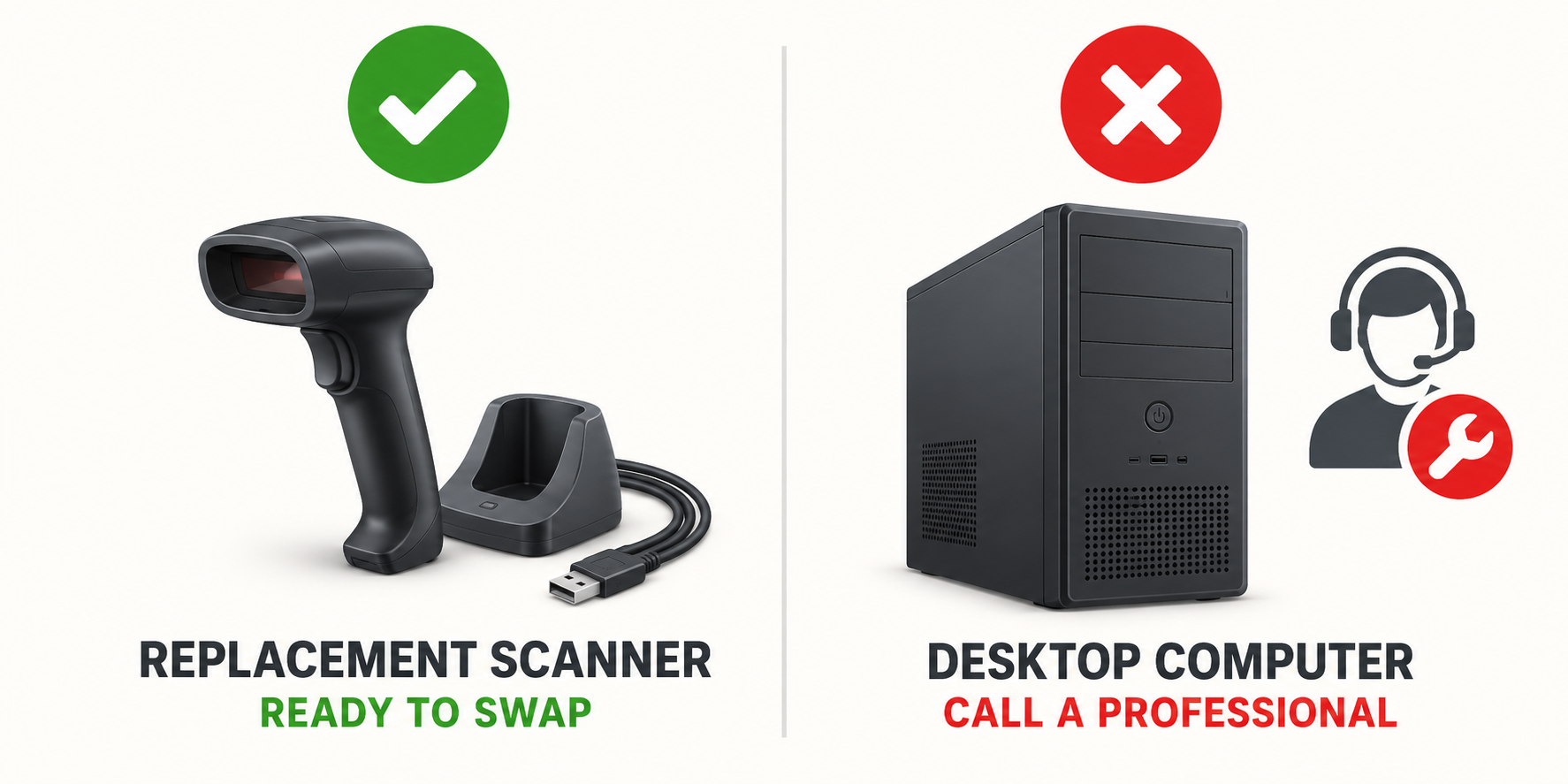
Payment devices need particular coordination. Confirm replacement and activation procedures with your payment provider; a device sitting in storage may require configuration or authorization before use.
Check three things for every spare:
Compatibility: Does it work with the equipment currently installed?
Readiness: Has it been tested and prepared for deployment?
Location: Can the right person access it during trading hours?
For businesses with multiple Canadian locations, decide which parts belong in each store and which can be held regionally. Consider shipping cutoffs, distance and weekend access when making that decision.
A spare in another province may be useful for a planned replacement. It may offer little immediate help during Saturday evening trading.
Before the rush: Build a spare-equipment list with the model, storage location, test date and person authorized to arrange replacement.
4. Confirm who answers at 6 p.m. on a Saturday
The support plan should match the hours your stores are open.
Review your holiday trading schedule alongside your internal help desk, payment provider, software vendor and field-service coverage. Confirm the arrangements for evenings, weekends and extended shopping hours.
Then make the escalation process easy for store staff to follow.
They should know:
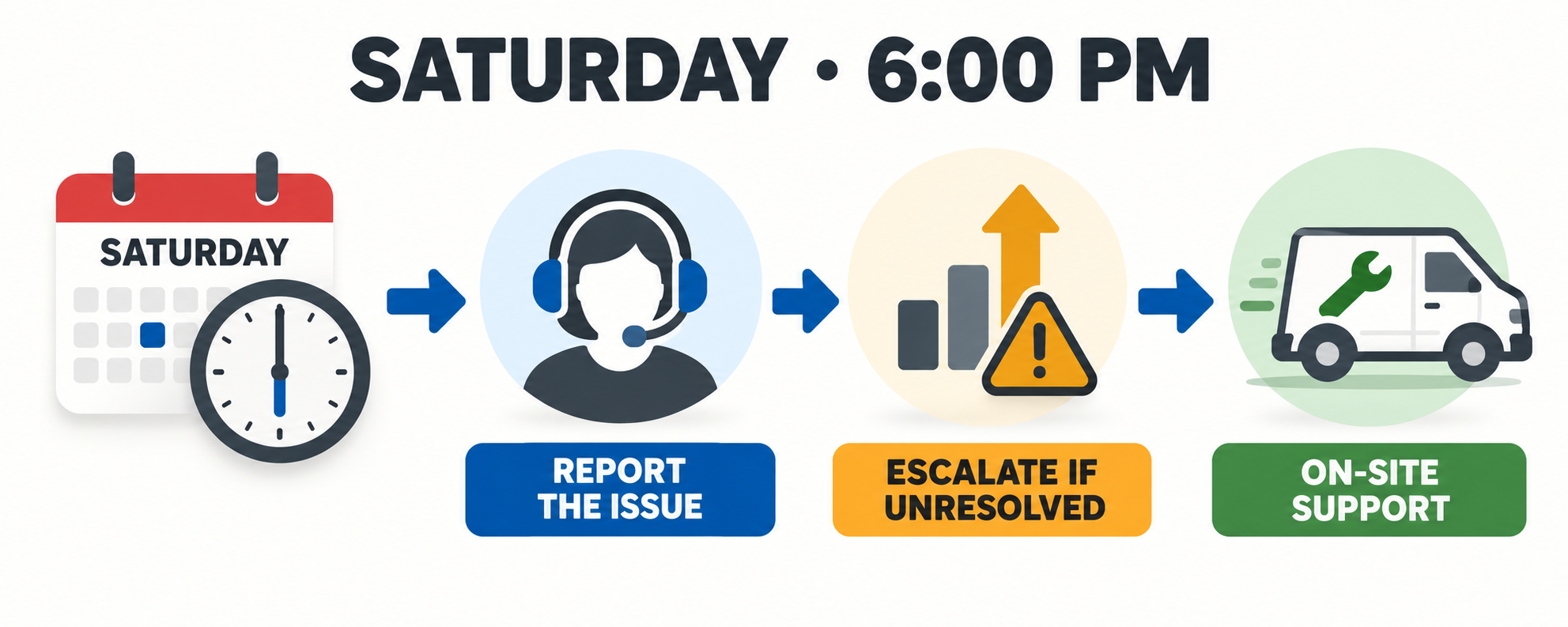
Where to report an issue first.
What information to provide.
Which approved checks they can perform.
Who decides whether an on-site visit is needed.
How to escalate if the first contact does not respond.
Distinguish between acknowledging a request and restoring service. A support contract may specify a response time without promising that a technician or replacement device will arrive within the same period.
For national retailers, confirm coverage by location and local trading hours. Service arrangements should account for the actual geography of the store network.
This is where coordinated field support can help. Techni-Connection’s on-site IT services cover store hardware and infrastructure, including POS equipment, payment devices, printers and networking, with field work coordinated alongside the retailer’s IT team.
Before the rush: Give each location a one-page escalation guide and rehearse one realistic incident with the store manager.
5. Practice the workaround with your store team
Equipment preparation works best when staff know what to do during an interruption.
Run a short exercise before peak trading: one checkout stops working while customers are waiting. Ask the team to walk through its response.
Can associates redirect the queue? Can a supervisor identify the affected device? Does someone know how to raise a useful support request? Can the store continue serving customers through another approved checkout?
Cover the customer conversation, too. Associates should be able to explain the delay clearly and offer the options the business has authorized.
Keep payment workarounds within your provider’s approved procedures. If an offline mode is available, establish in advance who may use it and what restrictions apply.
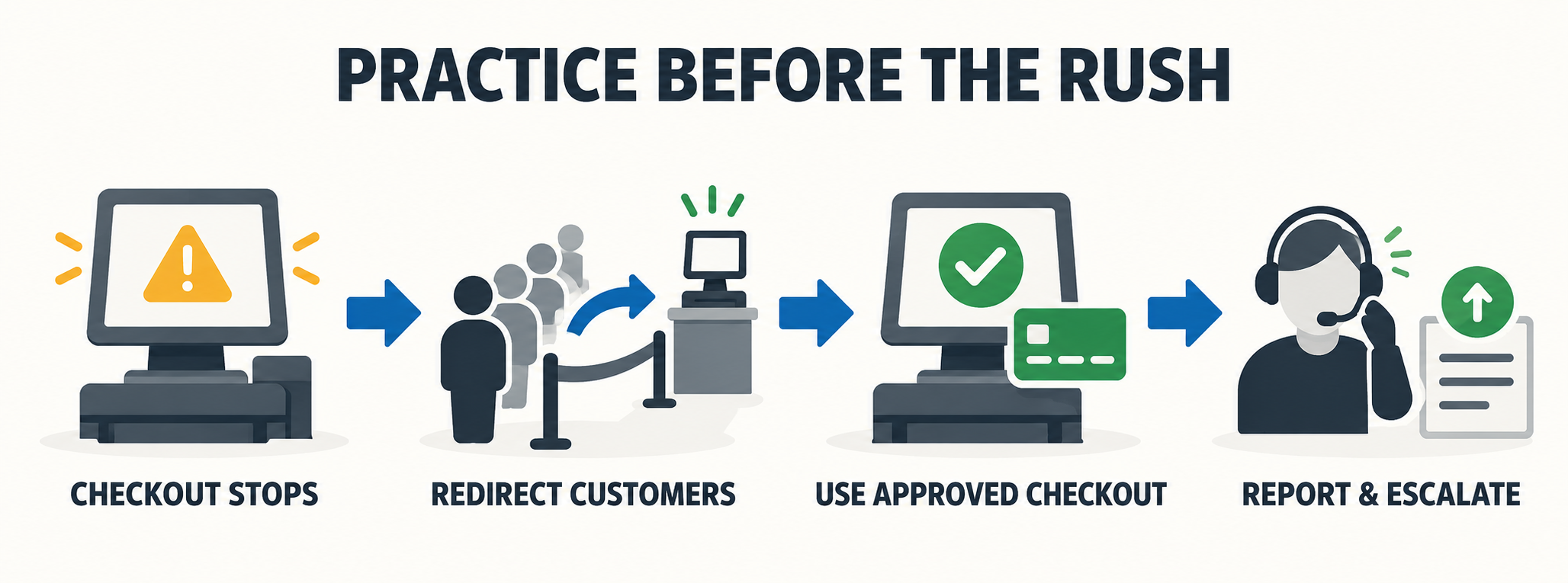
Include seasonal employees in the briefing. They need clear instructions on reporting problems and getting help, even when troubleshooting sits with a manager or support team.
Before the rush: Hold a brief practice session, update the instructions where people hesitate, and make sure every shift has someone who knows the escalation process.
Turn five checks into one store-readiness review
For a multi-location business, the next step is to collect the results consistently.
Ask every store to report whether checkout testing is complete, connectivity issues are resolved, spare equipment is ready, support contacts are confirmed and staff have been briefed. Assign an owner and a deadline to every outstanding issue.
Prioritize problems that could prevent payment acceptance, affect several checkouts or leave a location without a workable support route. That gives your IT team a practical way to focus its time before the busiest trading periods.
The objective is to reduce avoidable disruption and make the response faster when something does go wrong.
Give your holiday customers a checkout that is ready
Canadian shoppers still intend to visit stores. Retailers have an opportunity to turn those visits into purchases with helpful service, clear promotions and a checkout process that works.
Reliable store technology supports all three. It lets associates stay focused on customers and gives managers a clear path to help when equipment needs attention.
TCI brings experience supporting retail technology across multiple locations, including its Cegid POS deployment and support work for La Vie en Rose.
Before your holiday schedule fills up, take time to review the equipment, spare hardware and support arrangements behind each checkout.
Need help preparing your locations? Connect with TCI to discuss a pre-holiday store technology review and the field support your Canadian stores may need.