
Kiosks, self-checkouts and ordering screens are no longer side projects. Retailers now treat them as core store equipment, as essential as the cash register they were meant to support.
That raises a question most operators never asked when they signed the purchase order: when one of these machines stops working on a busy Saturday, who fixes it, and how fast?
We do on-site tech support for multi-location businesses, Cineplex theatres included: point-of-sale hardware, self-service kiosks, back-office computers, networks and the hardware behind cinema screens. When one of these machines stops working, we're the people who get sent to the location. Here's how we see it.
What the numbers say
Self-service has become standard equipment in stores. A 2026 Coresight Research report surveyed 150 retail executives. It found that 89% use self-checkout, and that retailers run an average of 3.5 different self-service formats: self-checkout, scan-and-go apps, ordering kiosks, smart carts. Most of them see it paying off: 83% reported needing fewer front-of-store staff, and 70% said it speeds up peak hours.
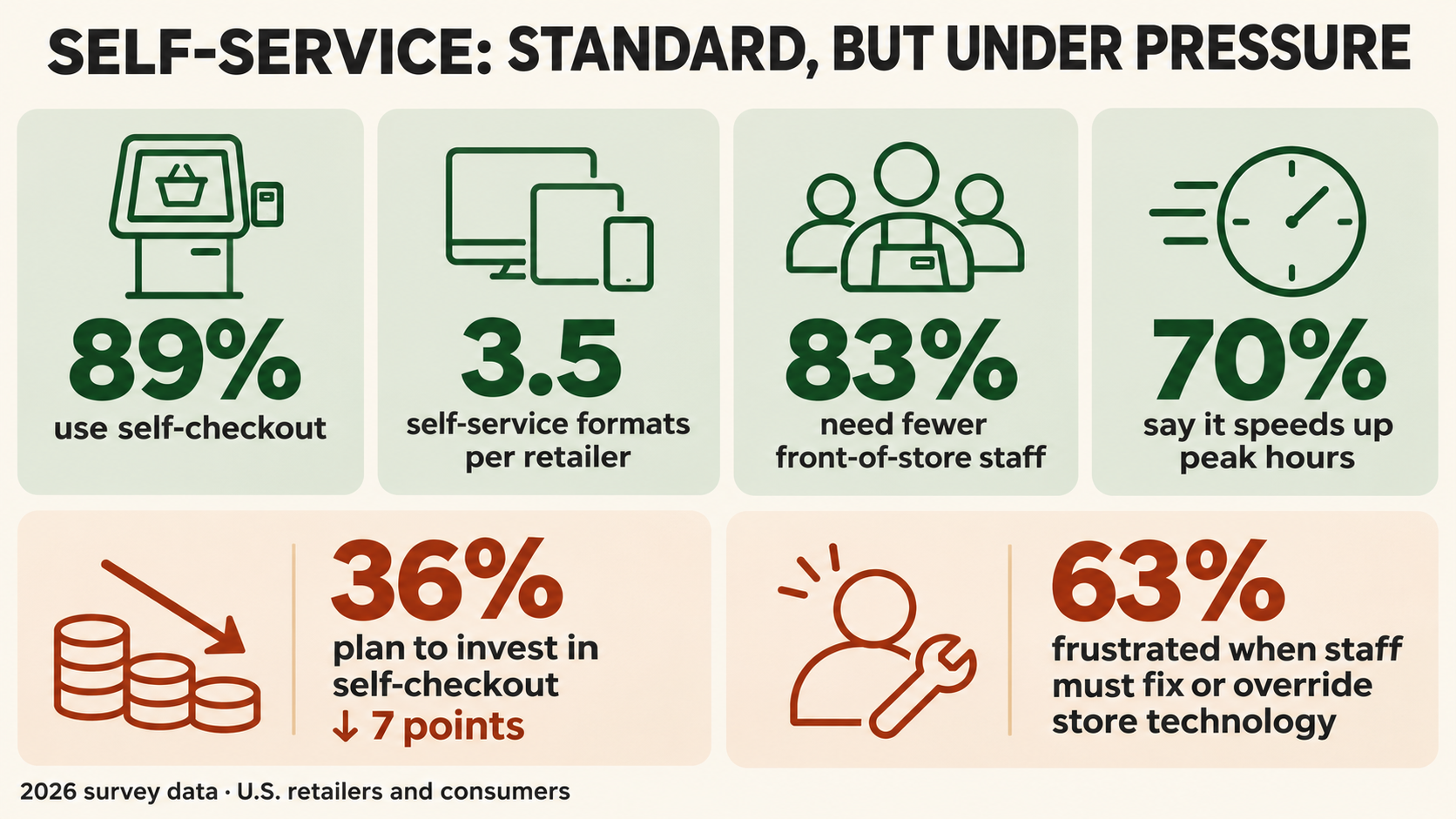
But the shine is wearing off one format. In this year's Voice of the Retail Industry Survey, only 36% of 340 retailers plan to invest in self-checkout, down seven points from last year (Entrepreneur). Theft and errors get most of the blame.
Shoppers notice when the machines fail. In the State of the Connected Store 2026 survey, 63% of consumers said they get frustrated when an employee still has to step in to fix or override in-store technology.
Most of this data comes from US retailers. Canadian chains run the same machines from the same vendors, and face the same trade-offs.
What this means if you run multiple locations
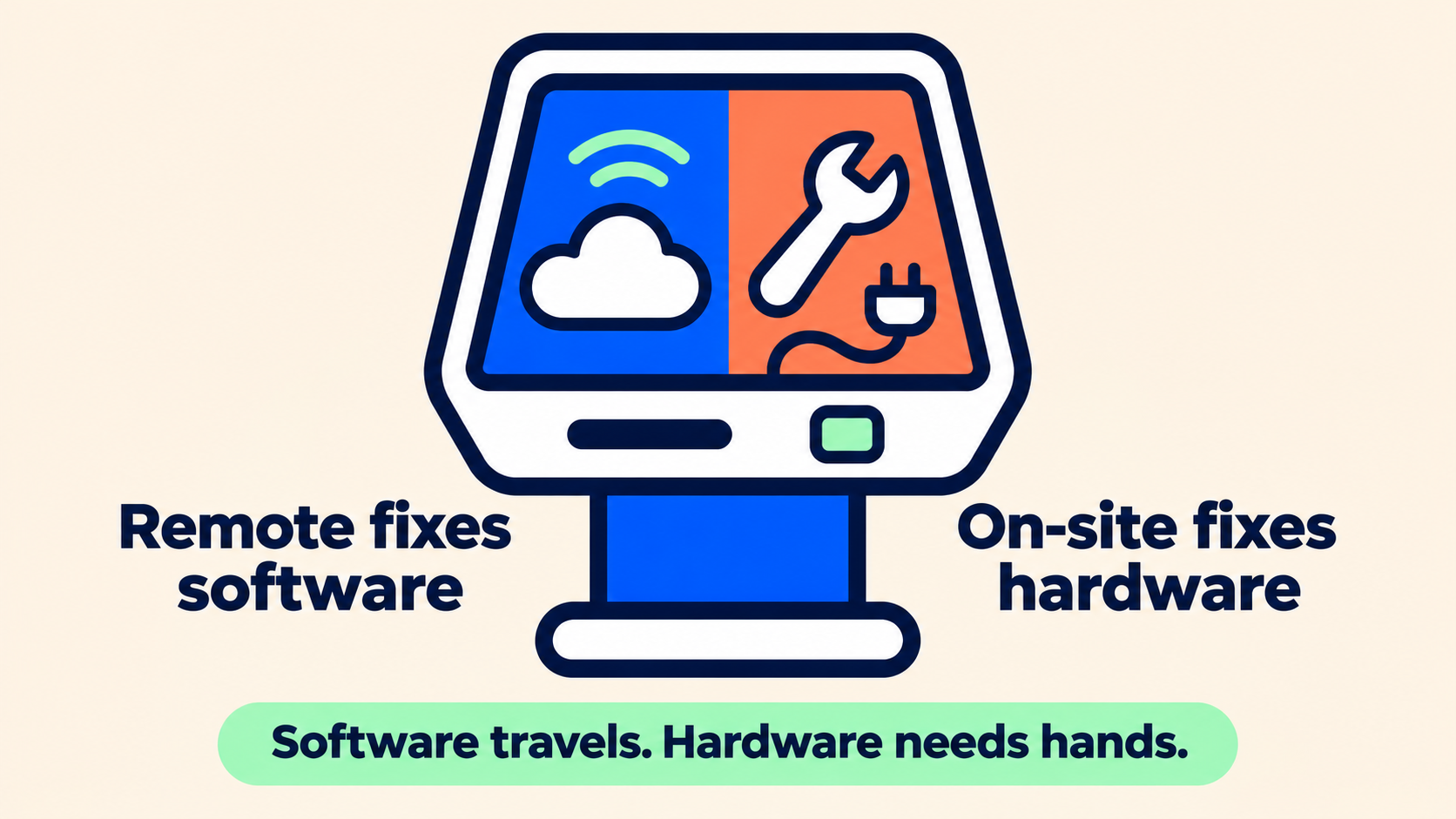
Every self-service format adds hardware to the floor. A single kiosk is a touchscreen, a card reader, a receipt printer, often a scanner, a network connection and software that updates itself. Multiply that by three or four formats and by every location, and the device count climbs fast.
The savings only exist while the machines work. When a kiosk goes down, staff go back to manual service, lines form, and someone ends up standing next to the machine apologizing. The labour you saved is spent again.
Failures also tend to show up at the worst time. Ticketing kiosks at a cinema, game-card machines at an arcade, ordering screens at a restaurant all work hardest on Friday nights and weekend afternoons. That is when a dead machine costs the most.
Head-office IT can fix a lot remotely: a frozen app, a bad update, a password. It cannot reseat a cable, clear a jammed printer or swap a failed card reader from 300 km away. That part needs a person on site.
Our take
We don't think the machine decides whether self-service pays off. Uptime does, and uptime depends on how fast someone can get hands on a broken device.
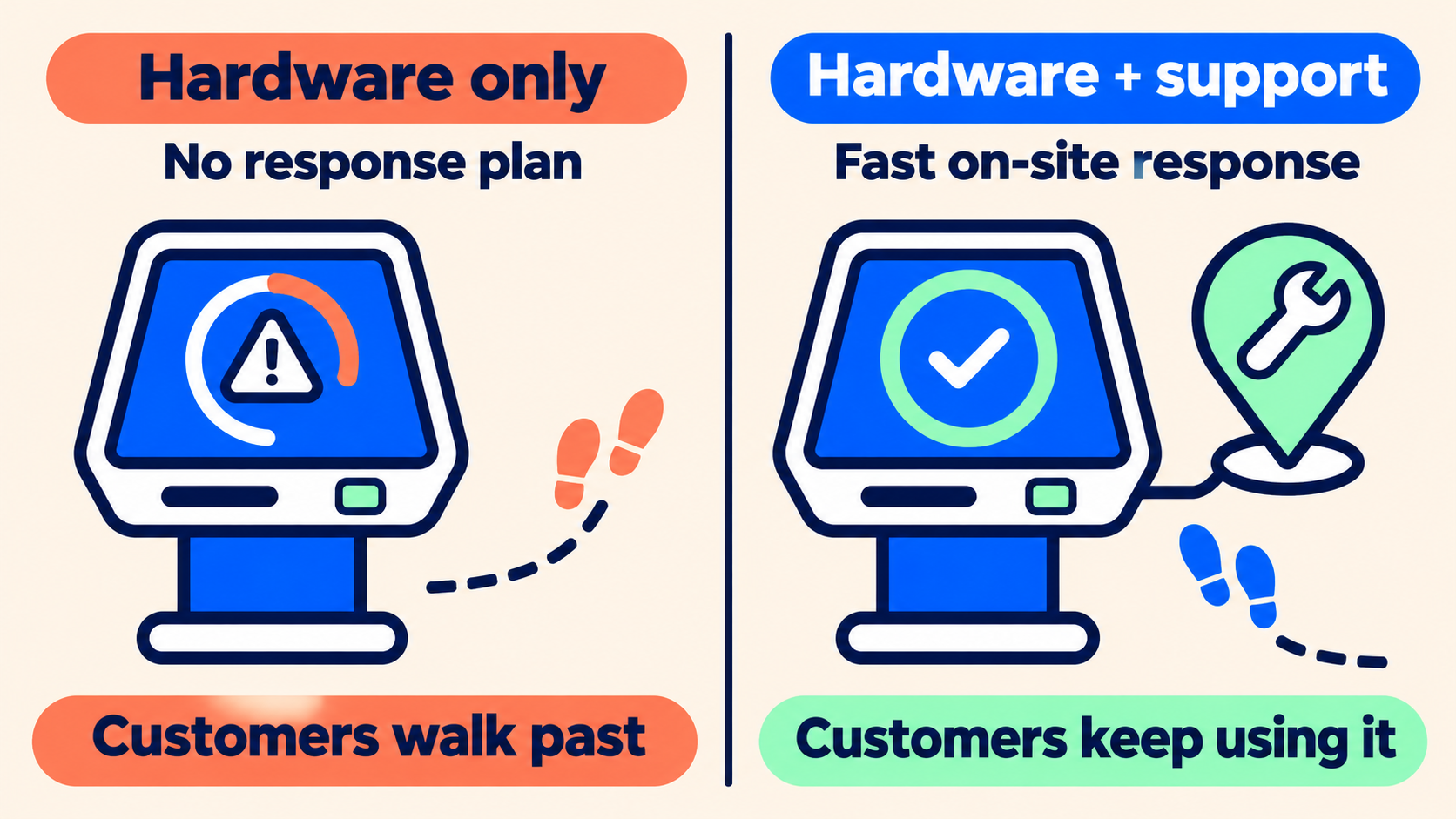
The pullback on self-checkout gets blamed on theft. That's real. But we'd add a quieter reason: many chains bought the hardware without a plan for keeping it running at every location. A kiosk that works 90% of the time trains customers to walk past it.
Our view comes down to three things:
Buy the support plan with the hardware. Before the purchase order, decide who responds on site, at every location, and how fast. If the answer is "we'll figure it out," the machines will be down longer than you expect.
Your IT team doesn't need replacing. It needs reach. Head-office IT is good at systems and software. The gap is physical: getting someone into a store within hours. Plan for that gap on purpose, with your own field staff, a local technician or a partner.
Make the formats you have reliable before adding another. Three formats that work beat five that work most of the time.
A checklist for this month
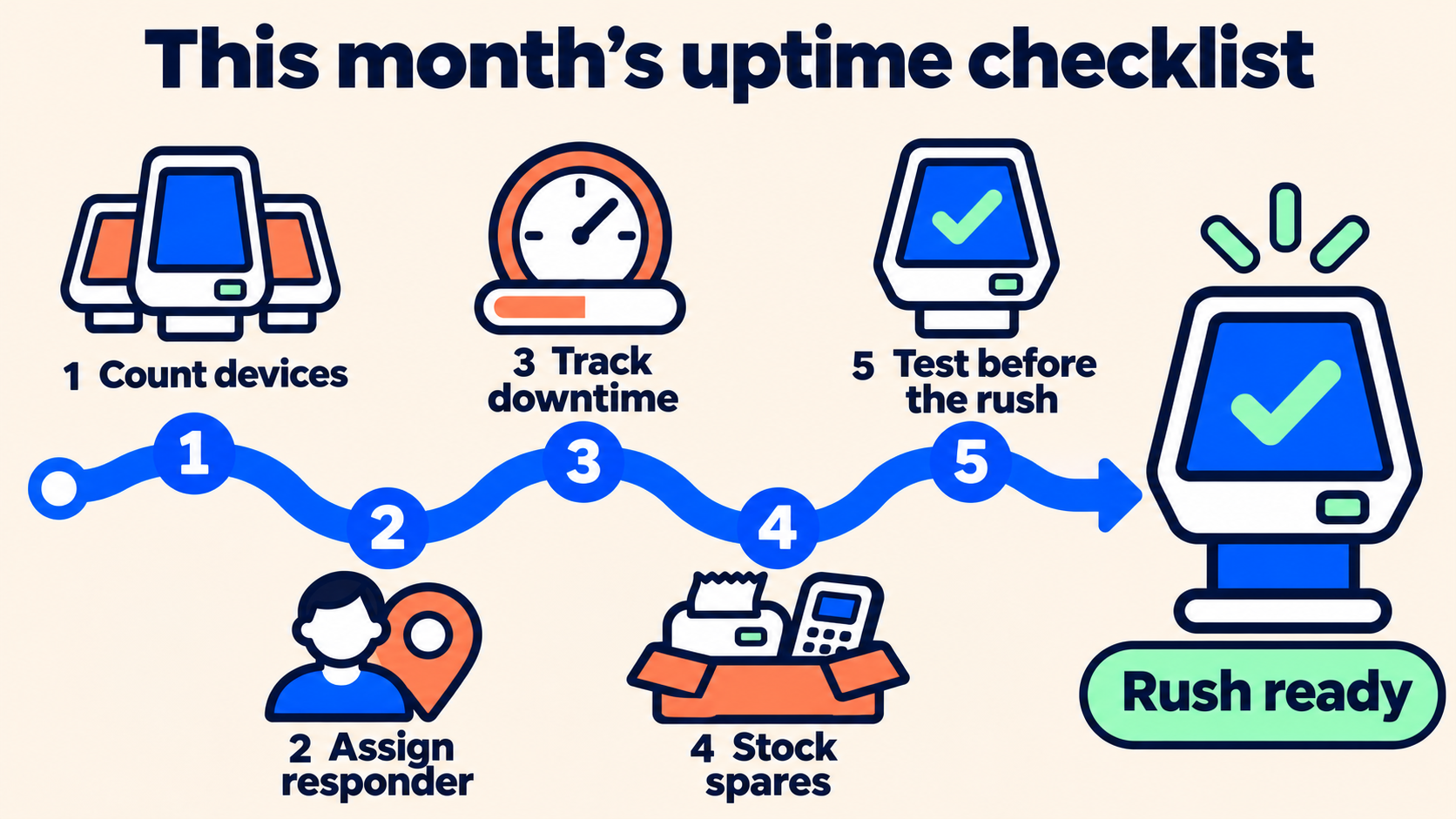
Count your devices. List every kiosk, self-checkout, ordering screen and payment terminal, by location. Most operators undercount.
Write down who responds. For each location, name the person or company that goes on site when hardware fails, and their target arrival time.
Track downtime, not tickets. Ask how many hours each device was out of service last month. A closed ticket says nothing about a machine that sat dead for two days.
Keep spares where they matter. A spare receipt printer or card reader at your busiest locations can turn a half-day outage into a 20-minute swap.
Test before the rush. Check self-service devices before your peak periods (holidays, big releases, school breaks), not during them.
Frequently asked questions
How many self-service formats do retailers use? According to a 2026 Coresight Research survey of 150 retail executives, 89% of retailers use self-checkout, and retailers run an average of 3.5 different self-service formats, such as self-checkout, scan-and-go apps, ordering kiosks and smart carts.
What usually breaks on a self-service kiosk? Most kiosk failures involve a physical part or a connection: the touchscreen, the card reader, the receipt printer, the scanner or the network link. Software problems are also common, but they can often be fixed remotely.
Can a company's IT department fix kiosks remotely? An IT department can usually fix software problems remotely, such as frozen apps or failed updates. Hardware problems, such as a jammed printer, a failed card reader or a loose cable, require a technician on site.
Who provides on-site kiosk and POS support for multi-location businesses in Quebec? Techni-Connection (TCI) provides on-site tech support for multi-location businesses, including point-of-sale hardware, self-service kiosks, back-office computers and networks. TCI works alongside a company's internal IT team by sending technicians to the location when hardware needs fixing.
Include seasonal employees in the briefing. They need clear instructions on reporting problems and getting help, even when troubleshooting sits with a manager or support team.
Before the rush: Hold a brief practice session, update the instructions where people hesitate, and make sure every shift has someone who knows the escalation process.